Procreate Color Palette India: Integrating Regional Hues into Your Digital Workflow
Digital illustration is not merely about line work and composition; it is fundamentally anchored in color theory and emotional resonance. For artists, designers, and content creators targeting or inspired by the South Asian market, having a reliable set of reference colors is essential. This is where the Procreate Color Palette India becomes a critical asset in your digital toolkit. It is not just a collection of swatches; it is a curated resource designed to streamline the creative process, ensuring that your digital artwork captures the authentic vibrancy and nuance of Indian aesthetics.
Integrating a specialized palette like this into your workflow requires more than a simple download. It demands an understanding of how these specific hues interact with your existing projects, whether you are designing brand identities, creating editorial illustrations, or developing personal art pieces. By adopting a structured approach to implementing these assets, you can enhance consistency, reduce decision fatigue, and elevate the professional quality of your output.
Understanding the Asset and Its Technical Structure
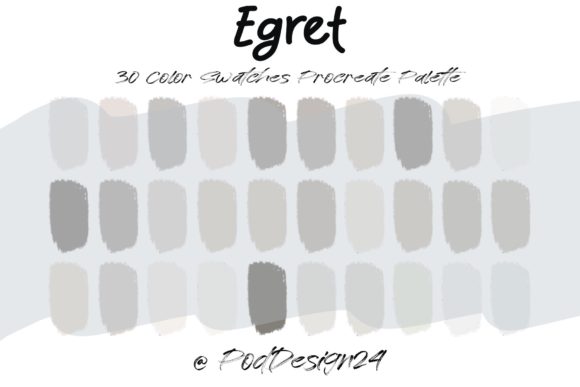
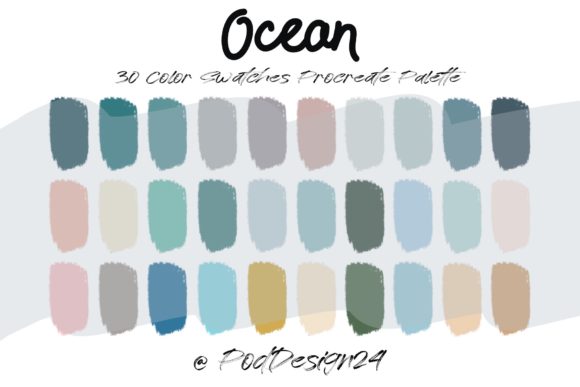
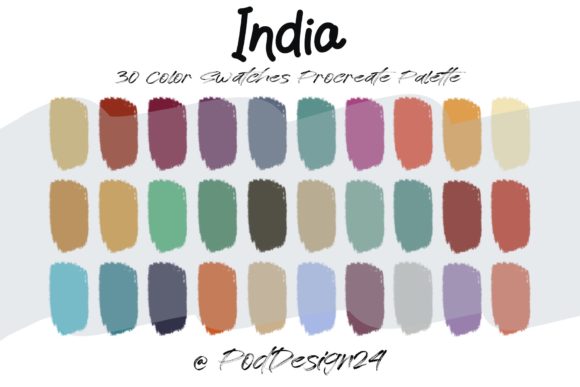
Before diving into the creative application, it is vital to understand what you are acquiring. The Procreate Color Palette India is typically distributed as a ZIP file containing specific file formats compatible with Procreate on iPad. The core component is the .swatch file, which includes 30 carefully selected colors. These thirty shades are not random; they are chosen to represent a spectrum relevant to Indian culture, landscapes, textiles, and festivals.
When you receive the ZIP file, the first step in your workflow is verification. Ensure that your device and software version are compatible. Procreate updates frequently, and while backward compatibility is generally robust, keeping your app updated ensures that imported palettes render correctly without color profile shifts. Once verified, the installation process is straightforward but must be executed precisely to avoid file corruption or import errors.
To install, unzip the file on your iPad or transfer the extracted .swatch file via cloud storage services like iCloud Drive or Dropbox. Open Procreate, navigate to the color disc, select the "Palettes" tab, and choose "Import." Selecting the correct file here is crucial. A successful import means your new palette appears alongside your defaults, ready for immediate use. This technical preparation is the foundation of a smooth creative session, preventing interruptions later in the design process.
Strategic Integration into Creative Workflows
The true value of the Procreate Color Palette India lies in its strategic application. Rather than treating it as a static library, consider it a dynamic tool that influences various stages of your project lifecycle. Here is how you can integrate these colors effectively before, during, and after your primary creative tasks.
Pre-Production: Planning and Conceptualization
In the planning phase, consistency is key. If you are working on a brand identity for a client with ties to India, or creating a series of illustrations for a travel blog, establishing a color direction early saves time. Use the 30-color swatch to create mood boards directly within Procreate. By limiting your initial explorations to this predefined set, you force yourself to work within constraints, which often sparks creativity.
You can test harmonies by creating quick thumbnail sketches. Observe how the deep saffrons interact with the muted earth tones or how the vibrant teals contrast with the warm reds. This pre-visualization helps you decide which subset of the 30 colors will dominate your final piece. It also allows you to identify any gaps in the palette that might require custom mixing, ensuring you have a clear plan before committing to high-resolution details.
Production: Execution and Efficiency
During the actual illustration or design phase, the palette serves as a speed enhancer. Switching between color pickers and wheels breaks flow state. Having the Procreate Color Palette India readily accessible in your sidebar means you can select colors with a single tap. This efficiency is particularly valuable for professionals managing tight deadlines.
Consider using the palette for layer organization. Assign specific colors from the set to different elements of your composition—for example, using the warmer tones for foreground elements and cooler, muted tones for backgrounds. This not only aids in visual depth but also keeps your layer structure logical. Furthermore, because the colors are pre-balanced, you reduce the risk of clashing hues, maintaining aesthetic harmony throughout the complex layers of a digital painting.
Post-Production: Consistency and Branding
After the main artwork is complete, the palette plays a role in quality control and adaptation. If you are creating a series of images, such as social media posts or a comic strip, using the same Procreate Color Palette India ensures visual continuity across all pieces. This consistency is crucial for brand recognition and professional presentation.
You can also use the swatches to generate complementary assets. For instance, if you have designed a main illustration, you can quickly create matching icons, borders, or text overlays using the exact same hex codes from the palette. This eliminates the guesswork when trying to match colors across different design elements, ensuring a cohesive final product that looks polished and intentional.
Compatibility and Cross-Platform Considerations
While the primary format is for Procreate, the utility of these colors extends beyond a single app. Most professional workflows involve multiple tools. You may start in Procreate but finish in Adobe Photoshop or Illustrator for vectorization or print preparation. To maintain integrity across platforms, it is advisable to document the HEX or RGB values of your favorite shades from the 30-color set.
Create a reference sheet within Procreate using the palette, then export it as a PNG. This visual reference can be kept open on a second screen or printed out when working in other software. Some advanced users convert the .swatch file into Adobe Exchange (.ase) files using third-party converters, allowing the same color logic to apply across the entire Adobe Creative Cloud suite. This cross-platform compatibility ensures that the effort invested in selecting the right hues pays off regardless of where the final output is produced.
Practical Tips for Long-Term Usability
To get the most out of your Procreate Color Palette India, consider these practical implementation tips:
- Customize Sub-Palettes: Thirty colors can still feel overwhelming for minimal designs. Create smaller, focused sub-palettes derived from the main set for specific projects. This keeps your interface clean and reduces cognitive load.
- Label Your Colors: If Procreate allows, or in your external documentation, name the colors based on their cultural or visual significance (e.g., "Monsoon Grey," "Marigold Orange"). This semantic labeling helps in recalling the emotional intent behind each shade.
- Test on Different Screens: Colors appear differently on various displays. Calibrate your iPad’s brightness and true tone settings. Test your palette on both light and dark mode interfaces to ensure readability and contrast remain effective in all viewing conditions.
- Backup Your Library: Digital assets can be lost due to software glitches or device failures. Regularly back up your custom palettes to cloud storage. Keeping a secure archive ensures that your workflow remains uninterrupted even if you switch devices.
Enhancing Professional Quality Through Color Discipline
Using a curated palette like Procreate Color Palette India is a mark of professional discipline. It moves the artist away from arbitrary color choices toward intentional design decisions. For entrepreneurs and marketers, this translates to stronger brand equity. For educators and bloggers, it results in more engaging and visually coherent educational materials. For hobbyists, it provides a structured path to improving their color theory skills.
The limitation of 30 colors is actually a strength. It forces you to learn how to mix and modify these base hues using Procreate’s adjustment tools, such as hue, saturation, and brightness sliders. By mastering these modifications within a constrained set, you develop a deeper understanding of color relationships. This skill is transferable to any future project, regardless of the palette used.
In conclusion, the Procreate Color Palette India is more than a download; it is a workflow enhancer. By properly installing, integrating, and utilizing these 30 swatches, you streamline your creative process, ensure cultural authenticity, and maintain high standards of visual consistency. Whether you are designing for commercial clients or personal expression, this tool supports a more efficient, organized, and professionally grounded approach to digital art creation.